
Ramp Color Palette
A Figma plugin. Give it one color and it builds the whole palette — eleven shades, from 50 to 950 — creates a COLOR variable for every step, and optionally draws a documentation sheet whose swatches stay bound to those variables.
Requires the Figma desktop app. Development plugins can't be imported from the browser.
Installing it
- 01Download the zip and unzip it. You'll get a ramp-color-palette folder.
- 02Open the Figma desktop app and any design file you can edit.
- 03Right-click anywhere on the canvas → Plugins → Development → Import plugin from manifest…
- 04Select manifest.json inside that folder. It now appears in that same Development submenu.
What it looks like
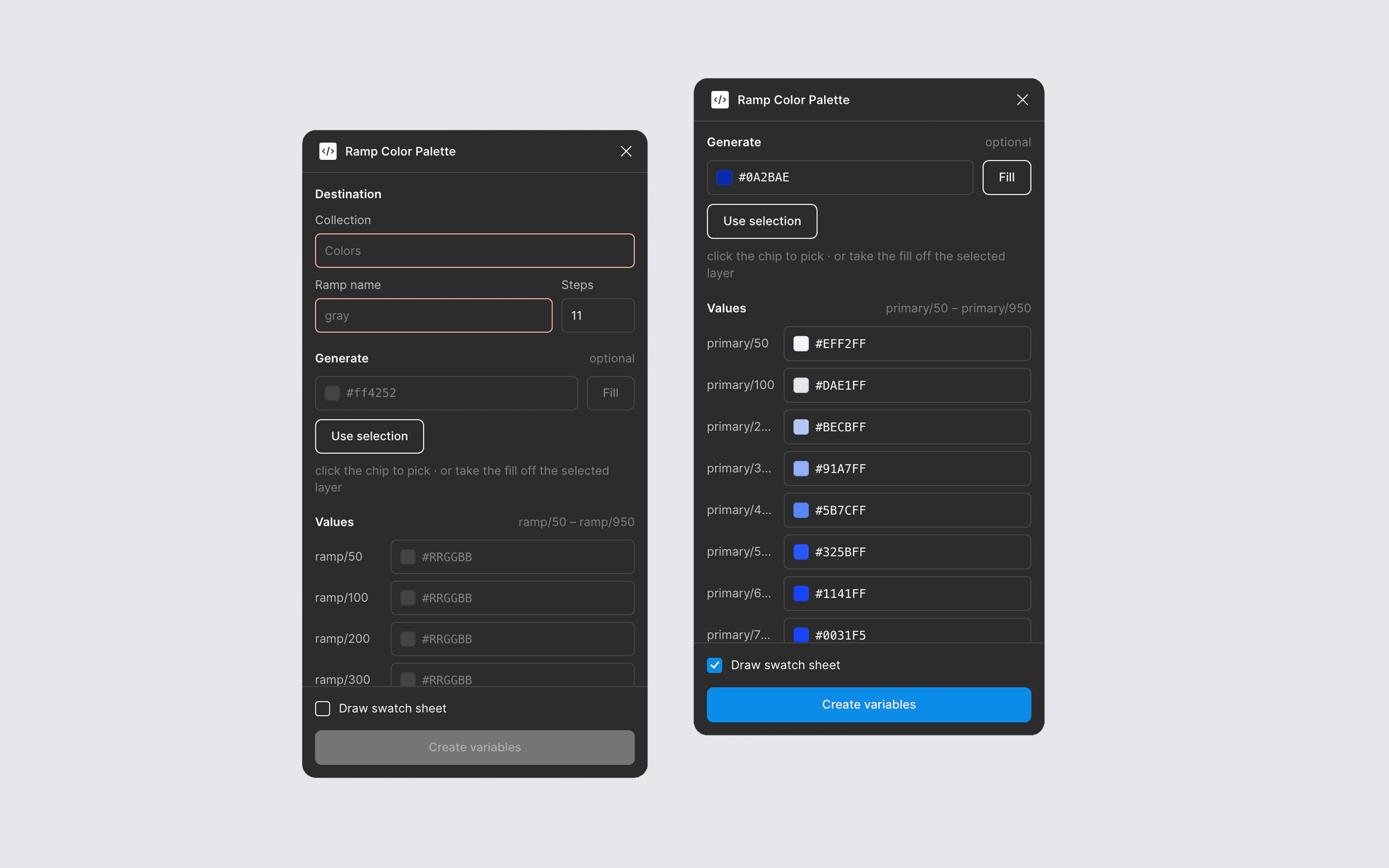
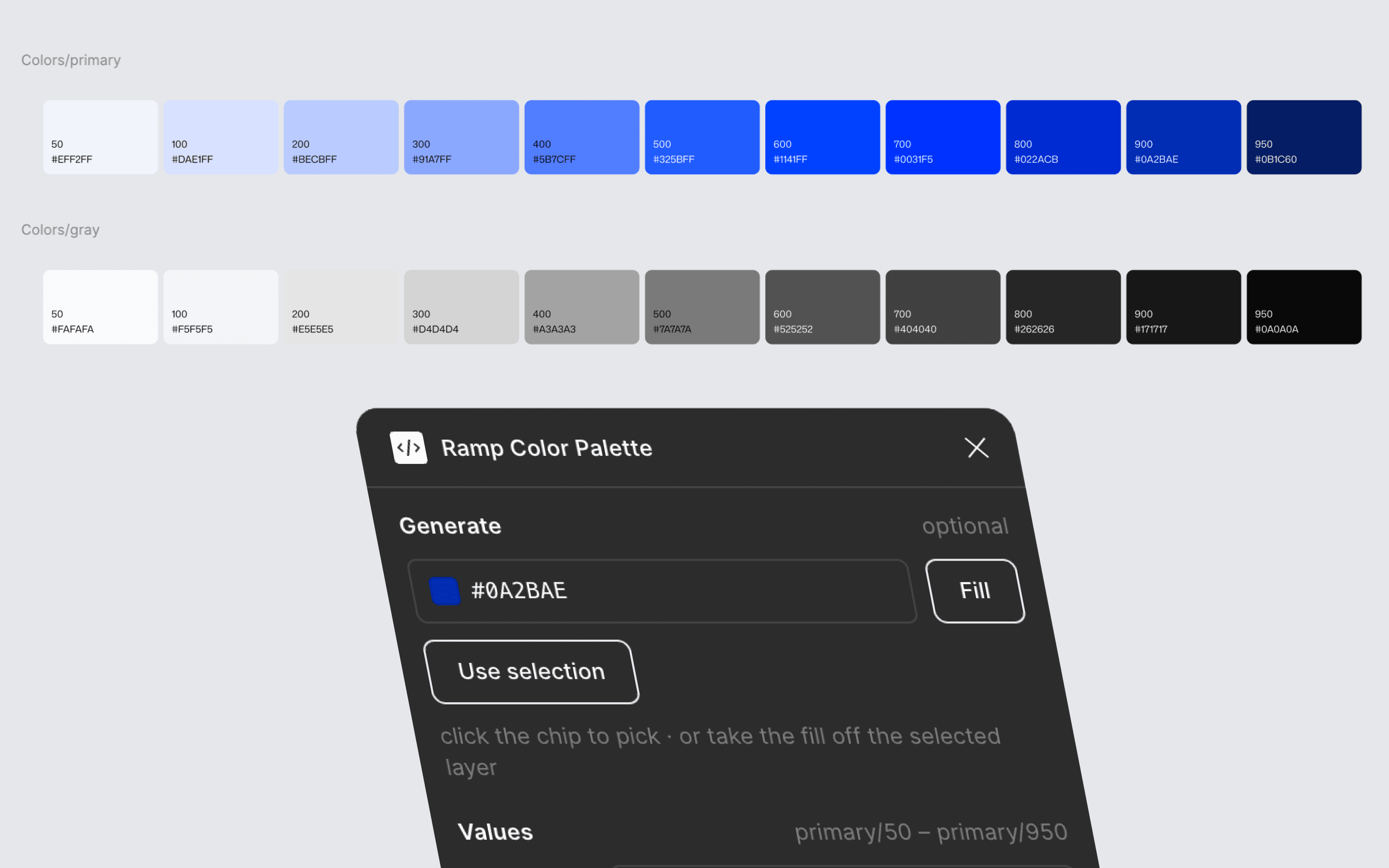
How the ramp is derived
Hue is held constant from your input. The lightness curve is lifted from whichever Tailwind family sits nearest, and saturation is that family's scaled by how much more — or less — saturated your color is at the step it anchors to. Your exact hex survives at whichever step its lightness lands closest to, so the color you started from is still in the ramp.
Chip labels flip between black and white at a relative luminance of 0.179 — the point where a swatch's contrast against black equals its contrast against white. The obvious 0.5 midpoint would put mid-greys on white text at 2.5:1 where black gives 8.5:1. The README has the measurements.
Known limits
- —It's a development plugin, not a Community one — importing a manifest is the only way to install it, and it won't auto-update.
- —Local variable collections only. Library and remote collections aren't matched.
- —One mode per collection. No light/dark pairs.
- —The swatch sheet is drawn in Mona Sans, falling back to Inter if you don't have it.